Mrs. Wenzel's Technology Page
Add text
  • Home
    • 30 MINUTES
    • FUN Time K-2
    • FUN Time 3-5
    • Teacher Stuff
  • Coding
  • K
    • K Literacy
    • K Math
    • K Read to Me & Self
    • K Science
    • K Health
    • K Learning to Drive and Navigate the Computer
    • K I Can Type
    • K Intro to Wixie Pixie
    • K ABC Books
    • K 3D Shape Search
    • K Positional Spring
  • 1st
    • 1 Math
    • 1 Learning to Drive and Navigate the Computer
    • 1 Postcards from Space
    • 1 Positional Spring
  • 2nd
    • 2 Technology Past & Present
    • 2 Emotions PowerPoint
    • 2 Animal Research
    • 2 KidBlog Web Reviews
  • 3rd
    • 3 WordMath
    • 3 Habitat Research
  • 4th
    • 4 Planet Research
    • 4 Pencil Code
  • 5th
    • 5 Blogger Badge
    • 5 WordMath Badge
    • 5 How to Video Badge
    • 5 Info-graphic Poster Badge
    • 5th Grade Blog
    • Badge Research Area
    • 5 Fractions
    • 5 Extras
  • PreK
    • PreK Math & Reading
    • PreK Shape Search
  • Extras
  • C3
  • Science Fair Resources
  • Best App Blog
  • Typing
  • Smartboard Resources
  • PD Recording on the iPad
  • Art
  • Conservation Research
  • GT 1st grade Wixie Project
  • GT 3rd Gr Unheard Perspectives
  • GT Economic Ads
  • Sub Activities for Bryant Woods Elem
Picture

Blogger Badge

Use you badge planning document to write your blog. Ask a peer and your teacher to review the blog.  When ready, you will publish your blog here (and wait for feedback from readers:)

  • Blogger Badge Page 

(ask your teacher to login on your computer to give you administrator privileges to the site


Resources:
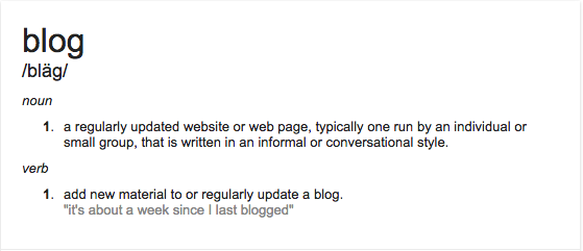
What is a Blog? by MyEducationStuff
Blog Writing Tips:

Kids Learn to Blog Tips


Instructions:

Brainstorm potential topics.  Use your Google Doc in this folder to record your ideas and plan your project.
Share your ideas with one or two other students in the class. Remember, your project must: 
  • share information AND express your personal views about a topic.
  • be interesting enough that you can write at least two paragraphs about it.
  • be interesting enough to students at DRES (and yourself) that it will "start a conversation"
  • something that you know a lot about (or are interested in learning more about)
When you are ready to submit your idea, fill out this form and wait for teacher approval.

Next, copy a link to the reading material to your Badge Planning document.  If the article is short, copy and paste it onto the Badge Planning document.  When reading, highlight text and add comments.  Under the article, begin writing your blog.  Ask a friend (and good editor) to read your blog and add comments to it. 

Let your teacher know you are ready to submit your final project by completing this form.

Powered by Create your own unique website with customizable templates.